Clone, run, and explore this sample
This sample demonstrates working with client apps such as WinForms, WPF, etc., in an Aspire app, such that the client app is launched along with the AppHost project, can resolve services via service discovery, and logs, traces, and metrics are sent via OpenTelemetry to the dashboard.
The entry point that composes every resource and dependency in this sample's distributed application.
var builder = DistributedApplication.CreateBuilder(args);
var apiService = builder.AddProject<Projects.ClientAppsIntegration_ApiService>("apiservice");
if (OperatingSystem.IsWindows()){    builder.AddProject<Projects.ClientAppsIntegration_WinForms>("winformsclient")        .WithReference(apiService)        .WaitFor(apiService)        .WithExplicitStart()        .ExcludeFromManifest();
    builder.AddProject<Projects.ClientAppsIntegration_WPF>("wpfclient")        .WithReference(apiService)        .WaitFor(apiService)        .WithExplicitStart()        .ExcludeFromManifest();}
builder.Build().Run();
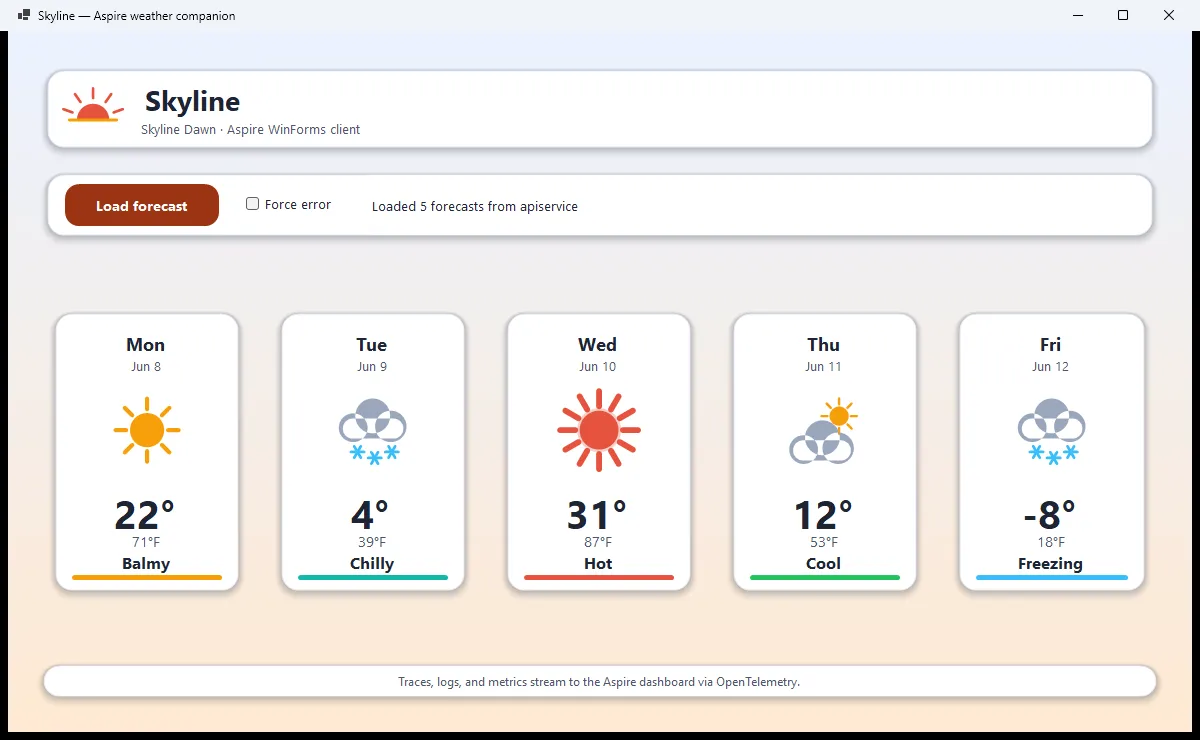
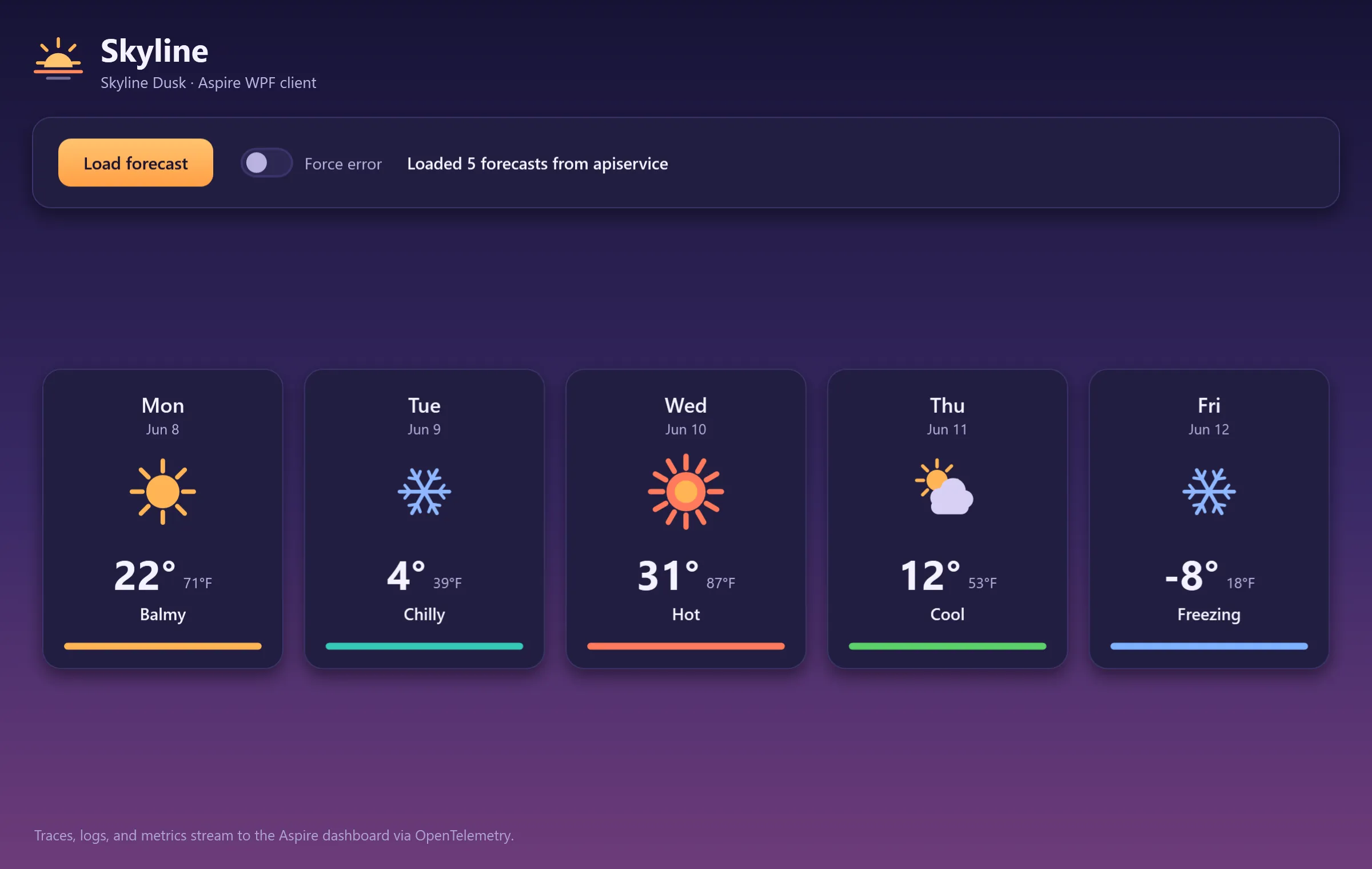
Both client apps share one Skyline weather-companion identity rendered two ways: the WinForms client in a light Dawn palette and the WPF client in a dark Dusk palette. Each calls the backend weather API, renders the forecast as accessible cards, and streams its logs, traces, and metrics to the Aspire dashboard via OpenTelemetry.
The app is based on the Aspire Starter App template, with the following additional elements:
ClientAppsIntegration.WinForms: This is a WinForms application that displays the results of calling the weather API service application.
ClientAppsIntegration.WPF: This is a WPF application that displays the results of calling the weather API service application.
ClientAppsIntegration.AppDefaults: This is a class library that defines the default configuration for orchestrated apps. It's a more general version of the typical
ServiceDefaultsclass library that's included in Aspire apps. TheClientAppsIntegration.WinFormsandClientAppsIntegration.WPFprojects reference this project and calls itsAddAppDefaults()method.ClientAppsIntegration.ServiceDefaults: This has been modified from the default
ServiceDefaultstemplate to be based on and extend theClientAppsIntegration.AppDefaultsclass library. TheClientAppsIntegration.ApiServiceproject references this project and calls itsAddServiceDefaults()method.
Pre-requisites
Section titled Pre-requisitesA Windows OS supported by .NET 10 (e.g. Windows 11)
Running the app
Section titled Running the appIf using the Aspire CLI, run aspire run from this directory.
If using Visual Studio, open the solution file ClientAppsIntegration.slnx and launch/debug the ClientAppsIntegration.AppHost project.
If using the .NET CLI, run dotnet run from the ClientAppsIntegration.AppHost directory.
In the launched WinForms and WPF apps, click the Load forecast button to have the app call the backend weather API and populate the forecast cards with the results. To explore the error-handling behavior, switch on the Force error toggle and click Load forecast again.
In the Aspire dashboard, use the logs, traces, and metrics pages to see telemetry emitted from the client apps.
Sample screenshots
Select an image to zoom in.